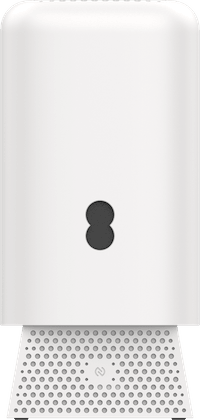
What's in the box?
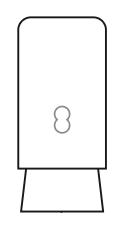 | Your EE Smart Hub 7 Max |
 | Power supply |
 | Set up guide |
| Safety instructions |
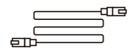 | Ethernet cable |
Note: If you're replacing your Smart Hub 7 Max, the box might not include accessories. You can reuse the ones from your old hub. If accessories are provided, please use them to replace your old ones to ensure full compatibility with your new hub.
Physical description of the device
Connectors, ports and buttons on the rear of the Smart Hub 7 Max
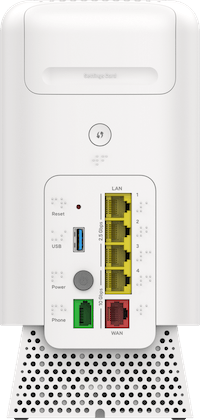
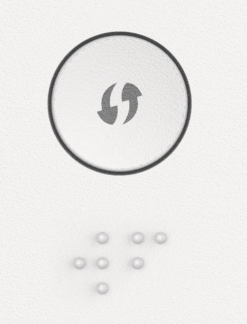 | Wireless (WPS) button: Connecting devices wirelessly. |
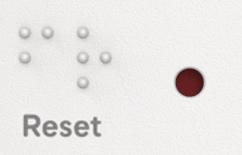 | Reset button: Reset to factory settings. |
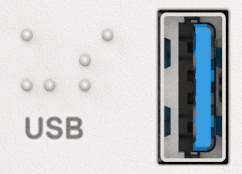 | USB port for charging devices. |
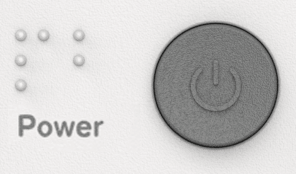 | Power button: To turn on/off. |
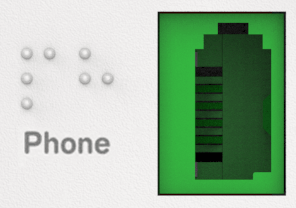 | Phone port: Connects a landline phone to Digital Phone service. |
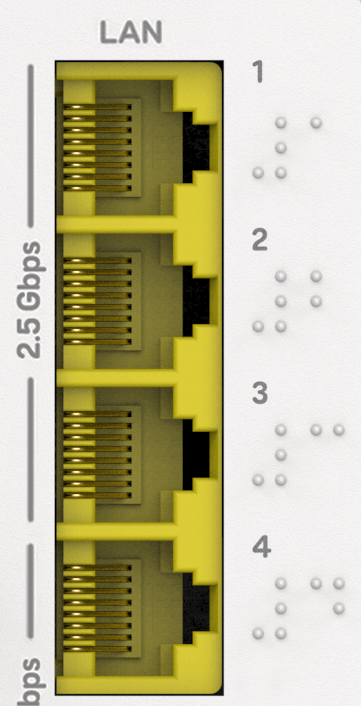 | Ethernet (4 ports): Connects to your devices. |
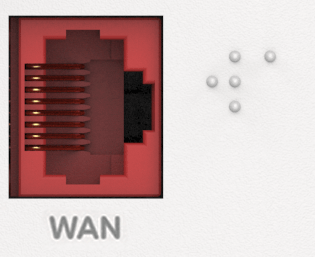 | WAN: Connect to Openreach modem |
Other
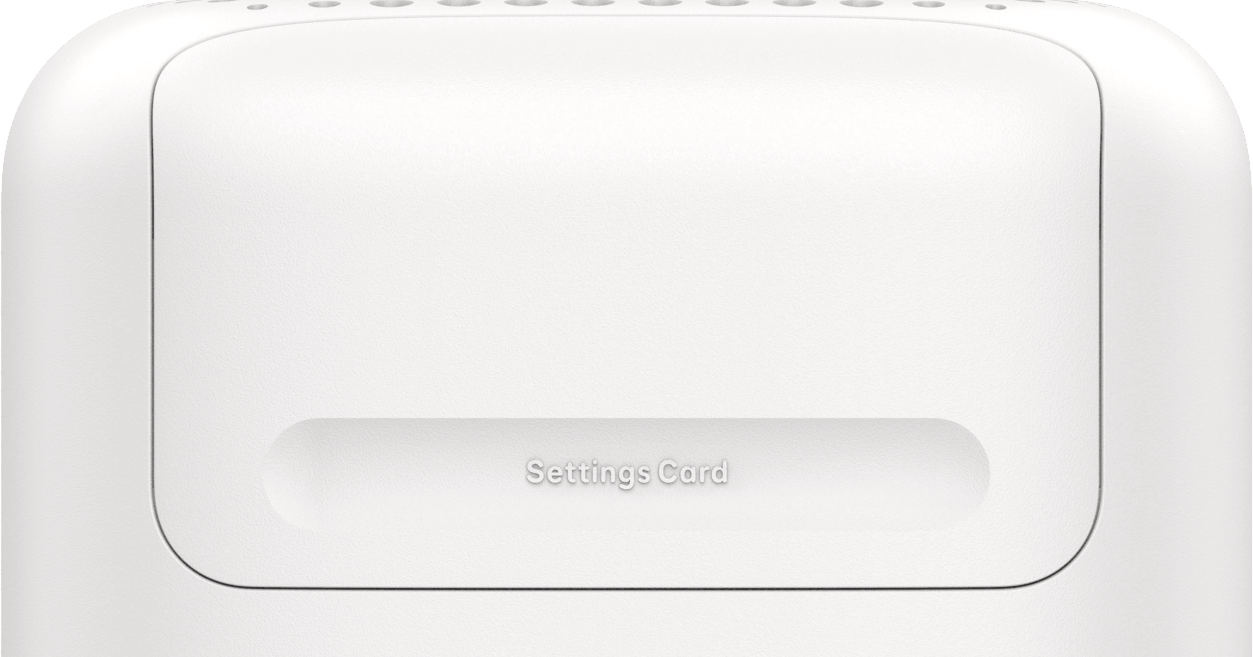
WiFi Settings Card: Pull out the card to find your Hub’s default WiFi name and password on the reverse.
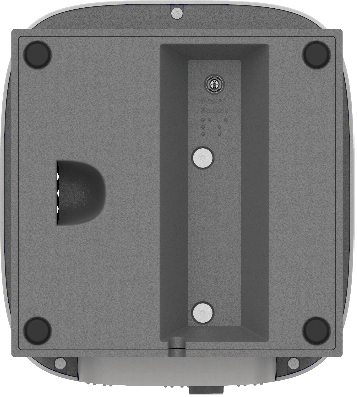
The base of the product has a rectangular recess and a circular socket at one end. The power supply cable plugs into it.
Setup instructions
EE products are designed to work best when set up using the EE app.
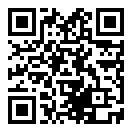
Scan this QR code with your mobile to download the EE app.
Or, download it from this page.
About WiFi settings and Hub Manager admin password
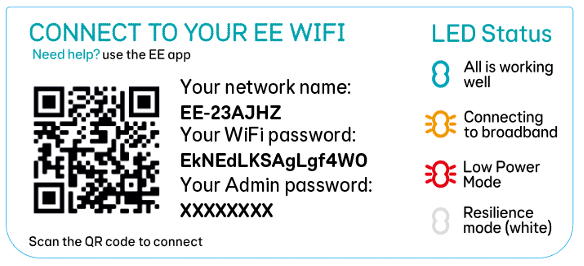
The WiFi Settings and Hub Manager Admin password are printed on the settings card that comes with your hub.
If your find the card is hard to read, you can still access the information using your smartphone:
If you used the EE App to set up your Hub:
- you were prompted to scan the settings card on the back of the hub
- you can now find your WiFi details in your phone’s WiFi settings
If you didn’t use the EE App or need the Admin password:
- remove the settings card from the back of the Hub
- open a QR code scanner app (not just your phone’s camera)
- scan the QR code on the inside of the card
Your scanner app will display something like:
WIFI:S:<WiFi Name>;T:WPA;P:<WiFi Password>;<Admin Password>
The admin password is only needed if you want to use the online Hub Manager.
Error states
Light status and error states
Error states are displayed through the light on the front of the Hub - see What the lights on your Smart Hub mean.
These can also be seen in the EE app, or in the Hub Manager:
- open a web browser on a device in your home that’s connected to the Hub (either by WiFi or Ethernet)
- go to http://192.168.1.254 to open the Hub Manager
- the Connection Status will detail the status of your Broadband connection
Disposing of your old electrical and electronic equipment
The Government has a legal requirement to minimise the unsorted waste disposal of electrical and electronic equipment and to maximise its separate collection and environmentally sound management.
 | The symbol shown here, on a product, means you shouldn’t throw it in your normal rubbish at the end of its working life. |
The equipment provided to you will remain the property of EE at all times (excluding outright sale of equipment). You’ll need to return it to us within 60 days of telling us you want to cancel your broadband service, or we may need to charge you for it. You can do this by following the steps here: ee.co.uk/returns.
As the environment is important to EE, we can get rid of it in an environmentally friendly way.
If this equipment is a replacement for something similar, then you can also dispose of your old kit by following the instructions above.
Safety notice and care instructions
Important safety and care instructions
Your Smart Hub from EE is manufactured to comply with European safety standards. Please read the following instructions carefully before installing and using it.
Keep these instructions safe for future reference.
Installation and location
- for indoor use only in the UK
- all devices and cables connected to this hub via the Ethernet or WAN port shall be referenced to the same earth circuit as the hub and no part shall be positioned outdoors
- position all parts, including power adapters away from heat and sun (away from radiators, window sills or other electrical equipment that can get hot)
- keep area ventilated (don’t put in cupboards or back of sofas) and don’t block any vents with objects or thick carpets
- keep device and cables out of young children’s reach
- only use power adapters provided by EE for this specific device; contact our helpdesk if you need a replacement
- electronic devices hate liquids; don’t place devices and power adapters in damp areas or near sources of water or splashes
- this device uses wireless technology; check before using or installing where restrictions may apply such as in hospitals
- product may cause scratches or marks if placed on fragile surfaces (eg veneered wood or delicate fabrics); place on a mat if needed
- don’t use near flammable substances or in a flammable atmosphere (eg warehouse or garage) important safety and care instructions
- designed for use at room temperatures between 0°C and 40°C
- keep device upright at all times. Not standing it as designed could cause overheating.
Care and maintenance
- treat all parts with care; no shock or vibration, and don’t pull, twist any cables
- dust with a soft dry cloth; don’t use water or solvent
- regularly check that objects don’t cover any parts or any vents that could cause overheating
- when not in use, store in a dry place and away from extreme heat or cold.
Warnings
- if your devices or power adapters appear damaged, stop using them immediately. Switch off your electrical socket if it’s safe to do so and contact our helpdesk
- don’t try to open your devices or power adapters. There are no serviceable parts and you risk an electrical shock
- this device has been evaluated for and shown compliance with European Guidelines when installed and operated with a minimum distance of 20cm between the unit and your body
- there is a slight chance your product could be damaged by an electrical storm. We recommend that you unplug the power and phone line cord during a storm
- if you’ve got a pacemaker, please check with your doctor before installation
- radio signals from this product may cause interference to hearing aids.
Compliance information
Radio Equipment Directive Declaration of Conformity
EU
Hereby, EE declares that the radio equipment type SH40J-X is in compliance with Directive 2014/53/EU. The full text of the EU declaration of conformity is available at: ee.co.uk/declaration-of-conformity.
UK
Hereby, EE declares that the radio equipment type SH40J-X is in compliance with Radio Equipment Regulations 2017 and The Product Security and Telecommunications Infrastructure (Security Requirements for Relevant Connected products) Regulations 2023. The full text of the EU declaration of conformity is available at: ee.co.uk/declaration-of-conformity.
Restrictions
This radio equipment is subject to certain restrictions when it is placed on the market in Belgium (BE), Bulgaria (BG), Czech Republic (CZ), Denmark (DK), Germany (DE), Estonia (EE), Ireland (IE), Greece (EL), Spain (ES), France (FR), Croatia (HR), Italy (IT), Cyprus (CY), Latvia (LV), Lithuania (LT), Luxembourg (LU), Hungary (HU), Malta (MT), Netherlands (NL), Austria (AT), Poland (PL), Portugal (PT), Romania (RO), Slovenia (SI), Slovakia (SK), Finland (FI), Sweden (SE), Northern Ireland (UK(NI)), Norway (NO), Switzerland (CH), Iceland (IS), Turkey (TR), and Lichtenstein (LI).
WiFi 5 GHz: The frequency band 5150-5350 MHz is limited to indoor use. This radio equipment is also subject to certain restrictions when it is placed on the market in the United Kingdom (UK): In accordance with the relevant statutory requirements in the UK, the 5150 - 5350 MHz frequency range is restricted to indoor use in the United Kingdom.
Radio Transmission Information
| Frequency range (MHz) | Max power in the range (dBm) |
| 1880 – 1900 | 18.4 |
| 2400 – 2483.5 | 20 |
| 5150 – 5350 | 23 |
| 5470 – 5725 | 30 |
| 5725 – 5850 | 23 |
| 5925 - 6524 | 24 |
Power Information
The devices Smart Hub SH40J-X comply with EN 62368-1. The rating label is located on the base of the device. Further details can be found on EE's Declaration of Conformity page.
PSTI and Software Support
To find the support period for your device or to report security issues, go to: ee.co.uk/help/terms-and-conditions/general
The EE Smart Hub contains code that is covered by the GNU General Public License (GPL). In accordance with the GPL, EE has made the relevant code available for download at: https://ee.co.uk/help/ee-devices-user-guides/devices-gpl-code.
Other support information
Technical specifications
WiFi standard: WiFi 7
Wireless capability: Tri band / 2.4GHz 4x4 / 5GHz 4x4 / 6Hgz 4X4
Wired connections: 1 x 10 Gbps LAN / 3 x 2.5 Gbps LAN / 1 x 10Gbps WAN
Supported broadband technology: Full Fibre
Multiple SSIDs: Yes, with select models/software - Main/Guest/Compatible
Contactless WiFi pairing: No
Parental Controls and Security: Advanced
Smart WiFi/extender support: Yes - WiFi Extender 7 Pro
Smart Hybrid Connect support: Yes
Sustainability
Plastic-free packaging
Recycled casing
More accessibility information
EE's Here for You section has further information about Getting the most from your devices.